Start with what you know.
Learn new words with explanations in Punjabi, in Gurmukhi and Roman script.
 BolBuddy
Your language. Your next conversation.
Build everyday language skills with short lessons, familiar Punjabi explanations, and Bol by your side.

Free to download. Contains ads.

Meet Bol. Your practice buddy.
Learn new words with explanations in Punjabi, in Gurmukhi and Roman script.
Listen to words, match their meanings, and practise saying useful phrases out loud.
Make time for a short lesson. Pick English or French and practise at your own pace.
From your first hello to the words you use at work, in shops, and on your travels. Start with a clear explanation, then put it into practice.
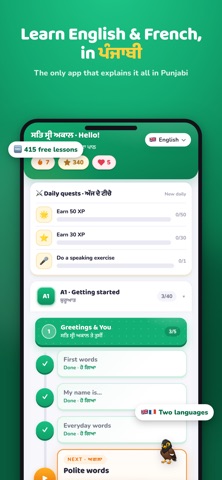
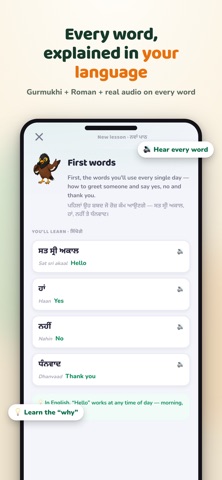
BolBuddy is for Punjabi speakers learning English or French. Punjabi explanations help you understand new words and build everyday language skills at your own pace.
BolBuddy is free to download and includes ads. You can start learning without a subscription.
Android is coming soon. BolBuddy is currently available on the App Store for iPhone and iPad. We’ll update this page when the Android app is ready.
You can continue in the web app. Use the same browser and device to access progress saved in that browser. Browser-saved progress does not automatically transfer to the iPhone app. Contact support if you need help with your saved progress.
In BolBuddy, open Settings, select your account, then choose “Delete my account.” For more help, see our account deletion instructions or email support@bolbuddy.com.
Take Punjabi with you as you learn something new.